
PokerStars Live app: All you need to know in the palm of your hand

Updated in December 2025 (first published in August 2022).
It’s pretty common for poker players at live events to look at their phones in between hands (even if it’s not always in their best interest).
But there’s a legitimate reason for swiping and scrolling, both on and off the tables.
The PokerStars Live app is available on mobile devices, and since its introduction in 2022, it’s proved incredibly popular. On the app, you can view an event’s full schedule, find out where tournaments are being played within the venue, and look at results from completed events.
Moreover, you can check the latest standings in the inaugural PokerStars Live League, with points updated every day. If you’re just hearing about the Live League, fear not–there’s a good chance it will return in 2026.
But the coolest part of the app is the ability to click on a tournament that’s running, view the tournament clock screen (showing the same info the players in the room see), check out a player’s most recent chip stack, and find out which table they’re on.
“The app is very handy for players,” says EPT Tournament Director Toby Stone. “We even have a banner for important live information, so for example, if we think a tournament will sell out, we can put it on the app. That way, the players have info in advance and can come early to register and avoid being turned away if we reach a cap.
“This is just the beginning. We plan to add more features in the future, such as live notifications for specific tournaments, a personalised log-in area, notifications for people on waiting lists, and many more.”
HOW TO INSTALL THE APP
To download the PokerStars Live app, search for PokerStars Live in the Apple app store or Google Play. Click install, and the app will begin to download. This shouldn’t take long.
Whereas some apps require you to sign up for an account or share personal information before use, the PokerStars Live app is completely free and ready to use from the get-go.
When you first open the app, it presents you with all upcoming events. We’re currently at EPT Prague, so let’s go with that one.
USING THE APP AT LIVE EVENTS
Inside the event tab for EPT Prague, you’ll find all the key festival dates, registration options, and venue information on the info tab.
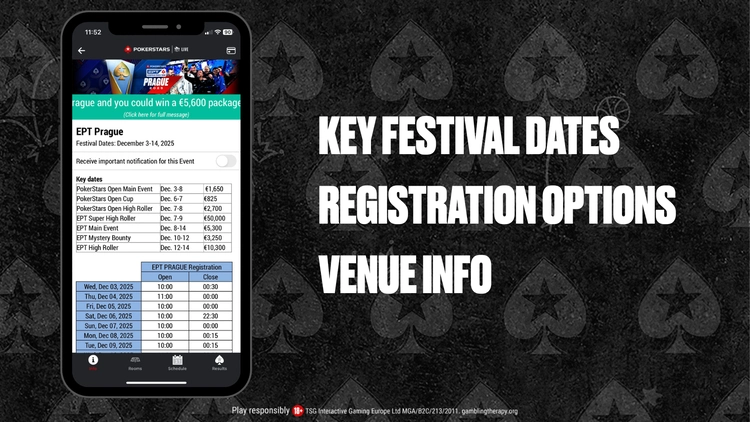
Click on an event and you’ll see all the key info
Next to that, you’ll find a tab for rooms and this is super helpful for players (and us media types) as it shows you exactly where in the building a particular tournament is taking place.
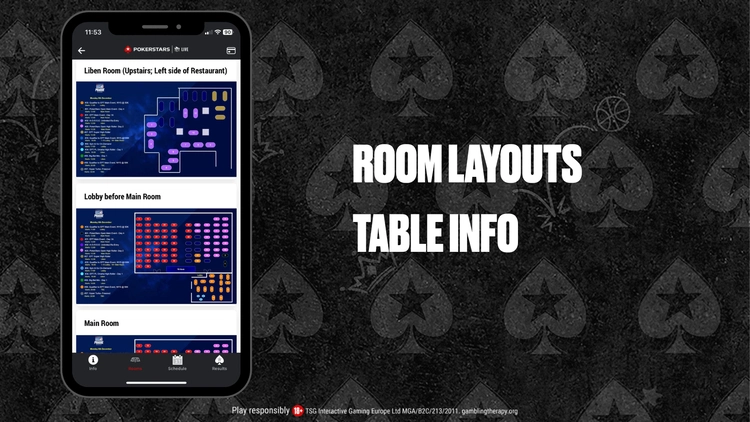
You’ll never get lost again!
Click the schedule tab to find out about every tournament taking place on all days of the festival. You can also check out all the results from completed tournaments.
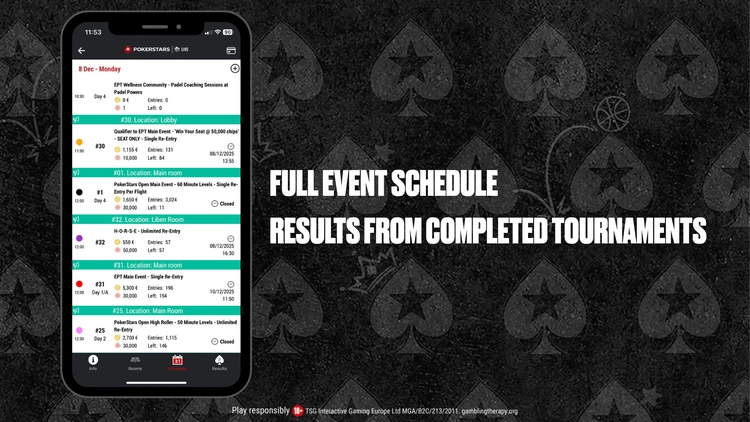
Check out all of the results
You can then click on a particular tournament. If the event is underway, you’ll find a tournament clock plus the number of players, average chip stack, total chips in play, prize pool, and total entries.
“This means you’ll never be late back from a break again,” Stone adds.
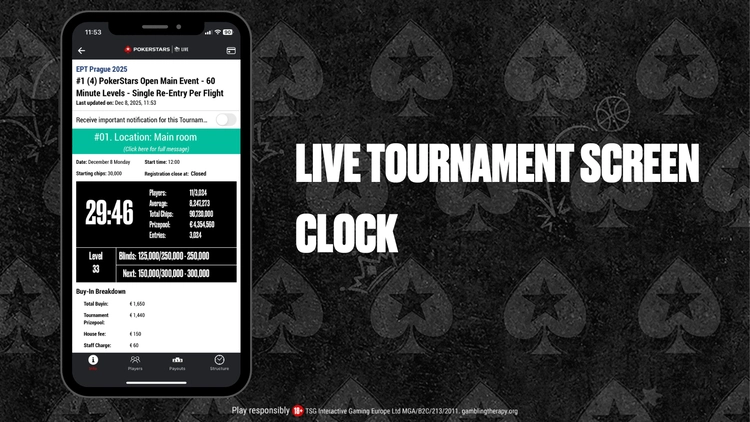
All players now have a tournament clock in the palm of their hands
At the bottom of an individual tournament page, you’ll find tabs for players, payouts and structures. The latter two are pretty self-explanatory, but it’s the ‘Players’ tab that’s especially cool.
Here, you can search for a particular player or a table number and find out not only how that player is getting on (according to the latest chip counts) but also where they are sitting in the room.
“We will be updating chip counts regularly once we’re in the money,” says Stone.

Search for specific players and tables
The PokerStars Live app is a fantastic way to find out everything you need to know when attending a live event or following along with the action at home.
Download the app today!
Apple app store or Google Play
MORE
Back to TopLatest Articles






View Other Blogs